
Introduction
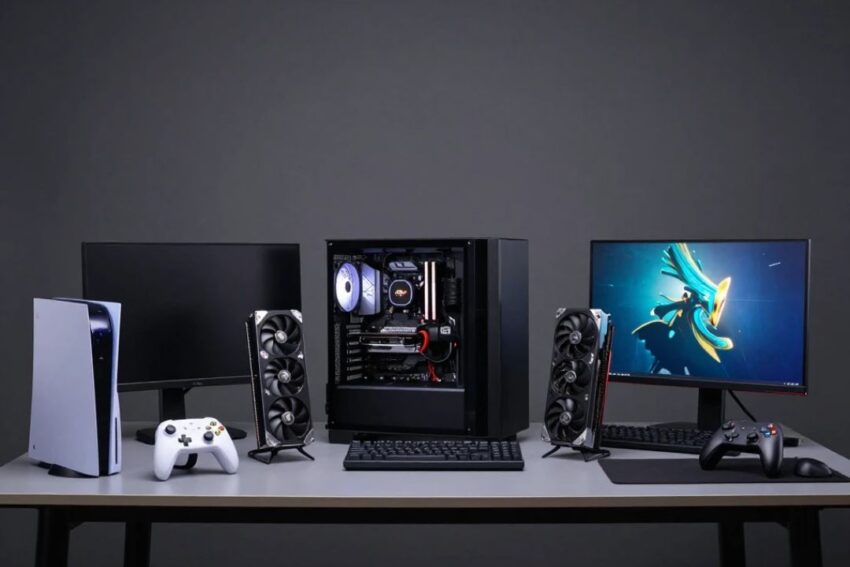
Gaming hardware has evolved rapidly, and 2026 is bringing even more powerful options for PC, console, and portable gamers. Modern gaming is no longer just about buying a powerful computer. A complete setup can include a high-performance GPU, fast CPU, NVMe SSD, high-refresh-rate monitor, mechanical keyboard, precision gaming mouse, wireless headset, controller, and reliable network connection.
Choosing the best gaming hardware in 2026 depends on your gaming style, budget, resolution, performance requirements, and preferred platform.
This guide covers the most important gaming hardware categories, from gaming PCs and GPUs to consoles, monitors, storage, and accessories.
1. Gaming PCs
A gaming PC remains one of the most flexible gaming platforms.
Unlike consoles, PCs allow users to upgrade individual components over time.
Key Components
A modern gaming PC typically includes:
- CPU
- GPU
- RAM
- SSD
- Motherboard
- Power supply
- Cooling system
- Gaming case
A balanced configuration is generally more important than buying the most expensive component available.
2. Gaming GPUs
The GPU is one of the most important components for modern gaming performance.
A powerful graphics card can improve:
- Frame rates
- Resolution
- Texture quality
- Ray tracing
- Visual effects
For gamers targeting 1440p or 4K gaming, GPU performance becomes particularly important.
What to Consider
When choosing a GPU, consider:
- Target resolution
- Desired frame rate
- VRAM capacity
- Ray-tracing performance
- AI-powered graphics features
- Power consumption
- Price
3. Gaming CPUs
The CPU handles game logic, physics, AI calculations, background processes, and other system tasks.
A modern gaming CPU should provide strong performance without creating a major bottleneck for the GPU.
CPU Features to Consider
- Core count
- Clock speed
- Cache
- Platform compatibility
- Power efficiency
- Upgrade options
Competitive gamers often benefit from strong CPU performance because some games are heavily CPU-dependent.
4. Gaming RAM
RAM allows the system to quickly access active applications and game data.
Modern gaming PCs commonly use newer generations of memory technology.
How Much RAM?
The right amount depends on the games and applications being used.
More RAM can be useful for:
- Modern games
- Streaming
- Video editing
- Multitasking
- Mod-heavy games
However, simply buying more memory does not automatically guarantee better gaming performance.
5. NVMe SSD Storage
Fast storage has become essential for modern gaming PCs.
NVMe SSDs can provide significantly faster data access than traditional hard drives.
Benefits
Fast SSD storage can improve:
- Game loading
- System startup
- File transfers
- Application responsiveness
With increasingly large modern games, having enough storage is also important.
6. Gaming Monitors
The monitor determines how the player’s hardware is visually presented.
Important specifications include:
- Resolution
- Refresh rate
- Response time
- Panel type
- HDR
- Adaptive sync
- Screen size
1080p
Good for budget and competitive gaming.
1440p
A popular balance between image quality and performance.
4K
Ideal for gamers who prioritize maximum visual detail.
7. High-Refresh-Rate Displays
Refresh rate measures how many times a display updates its image each second.
Higher refresh rates can provide smoother motion.
This is particularly valuable for:
- Competitive shooters
- Racing games
- Fighting games
- Fast multiplayer games
Players should also consider response time and input latency rather than focusing only on refresh rate.
8. OLED Gaming Monitors
OLED displays have become increasingly popular among gamers.
Advantages
OLED technology can offer:
- Excellent contrast
- Deep blacks
- Fast response
- Strong image quality
- Immersive visuals
OLED can be especially attractive for cinematic single-player games.
Potential concerns include price, brightness characteristics, and long-term display considerations.
9. Gaming Consoles
Consoles remain an important part of the gaming market.
Their major advantage is simplicity.
Players can purchase a console, connect it to a TV or monitor, install games, and start playing without selecting individual PC components.
Console Advantages
- Simple setup
- Optimized hardware
- Exclusive games
- Consistent performance
- Controller-focused experience
10. Portable Gaming Devices
Portable gaming hardware has become increasingly popular.
Handheld gaming devices allow users to play games away from a traditional desktop or television.
Common Features
- Built-in controls
- Portable display
- Integrated processor
- SSD storage
- Wireless connectivity
These devices can appeal to players who prioritize portability.
11. Gaming Laptops
Gaming laptops combine portability with powerful hardware.
A modern gaming laptop can include:
- Dedicated GPU
- High-performance CPU
- High-refresh-rate display
- NVMe SSD
- Advanced cooling
Benefits
Gaming laptops are useful for people who need a single device for:
- Gaming
- School
- Work
- Content creation
- Travel
12. Mechanical Gaming Keyboards
Mechanical keyboards remain popular because of their tactile feel and responsive switches.
Important Features
Look for:
- Mechanical switches
- Low-latency input
- Anti-ghosting
- N-key rollover
- Programmable keys
- Customizable lighting
Competitive gamers may prefer switches with fast and consistent actuation.
13. Gaming Mice
A good gaming mouse can improve precision and comfort.
Important features include:
- Accurate sensor
- Adjustable sensitivity
- Lightweight design
- Programmable buttons
- Wireless connectivity
- Comfortable shape
For competitive games, low latency and sensor accuracy are especially important.
14. Wireless Gaming Headsets
Wireless gaming headsets provide freedom from cables while offering immersive audio.
Important features include:
- Long battery life
- Low-latency wireless connection
- Quality microphone
- Spatial audio
- Comfortable ear cushions
Why Audio Matters
Sound can help players identify:
- Footsteps
- Gunfire
- Vehicles
- Environmental effects
- Directional movement
Good audio can improve immersion and situational awareness.
15. Gaming Controllers
Controllers remain essential for console gaming and are also widely used on PCs.
Modern controllers can offer:
- Wireless connectivity
- Adjustable controls
- Advanced vibration
- Custom buttons
- Ergonomic designs
Some premium controllers provide additional customization options.
16. Gaming Chairs
A gaming setup should also focus on comfort.
A good chair should provide adequate support for long sessions.
Important factors include:
- Adjustable height
- Back support
- Armrest adjustment
- Seat comfort
- Proper posture
A comfortable setup can make long gaming sessions more enjoyable.
17. Gaming Desks
A gaming desk provides the foundation for a complete setup.
A good desk should have enough space for:
- Monitor
- Keyboard
- Mouse
- Speakers
- PC
- Accessories
Cable management is also important for keeping the gaming area organized.
18. Gaming Routers
Online gaming depends heavily on network quality.
A gaming router can provide features designed to manage network traffic.
Important Factors
Consider:
- Latency
- Connection stability
- Wi-Fi performance
- Ethernet ports
- Traffic management
For competitive gaming, stable low latency can be more important than maximum download speed.
19. Gaming Capture Cards
Capture cards are useful for streamers and content creators.
They can capture gameplay from:
- Consoles
- PCs
- Cameras
- Other video sources
A good capture card can help creators produce high-quality gameplay videos and live streams.
20. Gaming Microphones
Built-in headset microphones can be convenient, but dedicated microphones can provide better audio quality.
Important features include:
- Clear voice reproduction
- Noise reduction
- Adjustable gain
- USB or other connectivity
- Monitoring options
Good audio quality is especially important for streamers and online creators.
21. Gaming Accessories
Small accessories can improve the overall experience.
Popular options include:
- Large mouse pads
- Controller charging docks
- USB hubs
- Cable-management tools
- Webcam systems
- RGB lighting
- Monitor arms
These accessories can improve convenience and organization.
22. AI-Powered Gaming Technology
AI is becoming increasingly important in gaming hardware.
AI technologies can help with:
- Image upscaling
- Frame generation
- Noise reduction
- Performance optimization
- Voice processing
AI-powered features can help gaming systems deliver improved performance without requiring every game to run entirely at native resolution.
23. Ray Tracing Hardware
Ray tracing provides more realistic lighting and reflections.
Modern graphics hardware increasingly supports hardware-accelerated ray tracing.
Benefits
Ray tracing can improve:
- Reflections
- Shadows
- Lighting
- Environmental realism
However, enabling advanced ray tracing can reduce frame rates, making powerful GPUs and optimization important.
24. Gaming Hardware for 4K
Gamers targeting 4K should prioritize a strong GPU.
A suitable 4K setup can include:
- High-performance GPU
- Capable CPU
- Sufficient RAM
- Fast NVMe SSD
- 4K monitor or television
AI-based upscaling technologies can also help improve performance in demanding games.
25. Gaming Hardware for Competitive Players
Competitive gaming prioritizes responsiveness.
Important hardware includes:
- High-refresh-rate monitor
- Low-latency mouse
- Responsive keyboard
- Reliable headset
- Strong CPU
- Capable GPU
- Stable internet connection
Why Latency Matters
Lower system and network latency can make controls feel more responsive.
However, hardware is only one part of competitive performance. Skill, practice, and game knowledge remain critical.
Best Gaming Hardware by Gaming Style
| Gaming Style | Hardware Priorities |
|---|---|
| Casual Gaming | Balanced PC or console |
| Competitive Gaming | High-refresh monitor, fast CPU, low-latency peripherals |
| 4K Gaming | Powerful GPU, 4K display |
| Portable Gaming | Handheld or gaming laptop |
| Streaming | Powerful PC, capture card, microphone |
| VR Gaming | Capable GPU, VR headset, suitable CPU |
| Simulation Gaming | Strong CPU/GPU, large high-resolution display |
How to Choose the Best Gaming Hardware
Before buying gaming hardware, consider these factors.
1. Set a Budget
Determine how much you can realistically spend.
2. Choose Your Platform
Decide between:
- PC
- Console
- Gaming laptop
- Handheld
3. Select Your Resolution
Choose whether you want:
- 1080p
- 1440p
- 4K
4. Consider Frame Rate
Competitive gamers may prioritize higher refresh rates, while cinematic gamers may prioritize resolution and visual quality.
5. Think About Upgrades
PC users should consider whether the system can be upgraded later.
Common Gaming Hardware Mistakes
Buying the Most Expensive GPU
The most powerful graphics card may be unnecessary for a 1080p setup.
Ignoring the Monitor
A powerful PC paired with a poor display can limit the gaming experience.
Choosing Too Little Storage
Modern games can require significant storage space.
Ignoring Cooling
Powerful components need appropriate cooling.
Focusing Only on Specifications
Real-world performance, compatibility, reliability, and comfort are also important.
Future of Gaming Hardware
Gaming hardware will continue to become faster, smarter, and more efficient.
Future developments may include:
- More powerful GPUs
- Better AI acceleration
- Faster storage
- Improved OLED displays
- More advanced handhelds
- Smarter controllers
- Better wireless technology
- More immersive VR systems
AI is likely to become increasingly integrated into both hardware and gaming software.
Frequently Asked Questions
What is the most important gaming hardware?
For a gaming PC, the GPU is often one of the most important components, especially for high-resolution gaming. The CPU, RAM, SSD, and monitor also have major roles.
Is a gaming PC better than a console?
A gaming PC provides greater customization and upgradeability, while consoles offer convenience and consistent hardware.
Is 1440p better than 4K for gaming?
It depends on your priorities. 1440p often provides a strong balance between visual quality and performance, while 4K offers greater image detail.
Are gaming laptops worth buying?
Gaming laptops can be excellent for players who need portability and strong performance in a single device.
Should gamers buy an OLED monitor?
OLED can provide excellent contrast, deep blacks, and fast response times, making it attractive for gaming. However, price and individual display characteristics should be considered.
How much gaming hardware do I need?
You do not necessarily need high-end hardware. The best setup depends on your games, resolution, frame-rate goals, budget, and platform.
Conclusion
The best gaming hardware in 2026 is more powerful and diverse than ever. Gamers can choose from high-performance gaming PCs, advanced GPUs, powerful CPUs, fast NVMe SSDs, high-refresh-rate monitors, OLED displays, gaming consoles, laptops, and portable handheld systems.
Accessories also play an important role. A responsive mechanical keyboard, accurate gaming mouse, comfortable headset, quality controller, reliable router, and ergonomic desk can complete a modern gaming setup.
The key is to choose hardware based on your actual needs rather than simply purchasing the most expensive components. Competitive players may prioritize latency and refresh rate, while 4K gamers may focus on GPU performance and display quality. Portable gamers may prefer handhelds or gaming laptops.
As AI, ray tracing, advanced displays, faster storage, and cloud gaming continue to develop, the gaming hardware market will become even more innovative.
The best gaming setup is ultimately the one that delivers the performance, features, comfort, and value that match your gaming style.