
Introduction
Cloud computing has transformed the way people and businesses use technology. Instead of purchasing expensive physical servers and managing complicated infrastructure, organizations can access computing resources through the internet.
From storing photos and files to running global applications and powering artificial intelligence, cloud computing is now a fundamental part of the digital world.
In 2026, cloud technology continues to evolve with AI, serverless computing, edge computing, containers, automation, and advanced cybersecurity. Understanding how cloud computing works can help businesses make better technology decisions and help beginners build valuable technical skills.
This complete guide explains what cloud computing is, how it works, its major types, benefits, technologies, applications, challenges, and future opportunities.
What Is Cloud Computing?
Cloud computing is the delivery of computing resources over the internet.
Instead of running applications and storing information exclusively on local computers, users can access resources hosted in remote data centers.
These resources can include:
- Servers
- Storage
- Databases
- Networking
- Software
- Analytics
- Artificial intelligence
- Development tools
For example, when you save a file to an online storage service, the file may be stored on remote cloud infrastructure rather than only on your personal computer.
How Does Cloud Computing Work?
Cloud computing relies on large data centers containing thousands of physical servers and other infrastructure.
Cloud providers organize these resources into services that customers can access through the internet.
A simplified process looks like this:
User → Internet → Cloud Platform → Computing Infrastructure → Application/Data
Virtualization plays an important role in many cloud environments.
A physical server can run multiple virtual machines, allowing computing resources to be efficiently shared between different workloads.
Modern cloud environments also use:
- Containers
- APIs
- Automation
- Software-defined networking
- Distributed databases
- Orchestration systems
These technologies allow cloud platforms to operate at enormous scale.
Main Types of Cloud Computing
Cloud computing can be classified according to both service model and deployment model.
Cloud Service Models
1. Infrastructure as a Service (IaaS)
IaaS provides basic computing infrastructure through the cloud.
Users can access:
- Virtual machines
- Storage
- Networking
- Firewalls
- Load balancers
Organizations have considerable control over their computing environment while avoiding the need to purchase physical servers.
Best For
IaaS is useful for businesses that need flexible infrastructure and developers who require control over their environments.
2. Platform as a Service (PaaS)
PaaS provides developers with an environment for creating and deploying applications.
The cloud provider manages much of the underlying infrastructure.
Developers can focus primarily on:
- Writing code
- Testing applications
- Deploying software
Benefits
PaaS can speed up development and reduce infrastructure-management responsibilities.
3. Software as a Service (SaaS)
SaaS delivers complete software applications through the internet.
Users typically access SaaS products through web browsers or applications.
Examples of SaaS categories include:
- Office software
- Project management
- Customer relationship management
- Accounting
- Communication
SaaS is one of the most familiar forms of cloud computing for everyday users.
Cloud Deployment Models
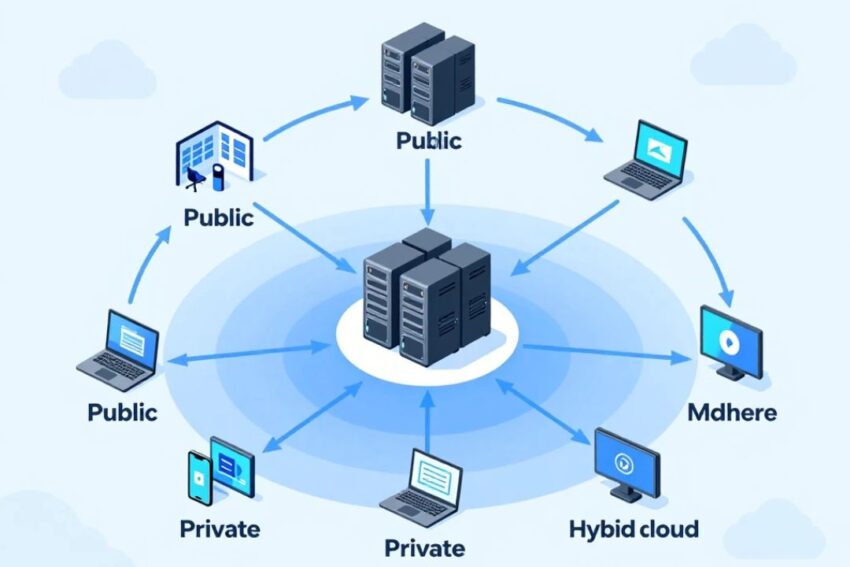
Public Cloud
Public cloud services operate on infrastructure provided by cloud companies and are accessed by multiple customers.
Major providers include:
- AWS
- Microsoft Azure
- Google Cloud
Public cloud can provide scalability and flexibility without requiring customers to build their own data centers.
Private Cloud
Private cloud infrastructure is dedicated to a specific organization.
It can provide greater control over infrastructure and data.
Private cloud environments are often used by organizations with specialized security, compliance, or operational requirements.
Hybrid Cloud
Hybrid cloud combines private infrastructure with public cloud services.
For example, a business could keep sensitive systems in a private environment while using public cloud resources for scalable applications.
Hybrid cloud provides flexibility while allowing organizations to retain control over selected workloads.
Multi-Cloud
Multi-cloud means using services from more than one cloud provider.
A company could use one provider for AI workloads and another for databases or application hosting.
Potential Benefits
- Provider flexibility
- Specialized services
- Reduced dependency on one provider
Potential Challenge
Managing multiple cloud environments can increase complexity.
Major Benefits of Cloud Computing
1. Lower Infrastructure Costs
Traditional infrastructure requires organizations to purchase servers, storage systems, networking equipment, cooling systems, and other hardware.
Cloud computing allows businesses to rent infrastructure instead.
This can reduce upfront capital expenditure.
2. Scalability
Cloud platforms can increase or decrease computing resources based on demand.
For example, an e-commerce website might require additional servers during a major shopping event.
Cloud infrastructure can automatically scale resources in response to changing demand.
3. Flexibility
Cloud services can be accessed from many locations.
This supports:
- Remote workers
- Distributed teams
- Global applications
- Online collaboration
4. Faster Deployment
Cloud infrastructure can often be created within minutes instead of waiting days or weeks for physical hardware.
This allows developers to test and launch applications faster.
5. Backup and Disaster Recovery
Cloud services can help organizations maintain backups and recovery systems.
Data can be stored across multiple locations, helping reduce the impact of hardware failures or other disruptions.
6. Access to Advanced Technology
Cloud platforms provide access to technologies that could otherwise be expensive to build independently.
These include:
- AI infrastructure
- Machine learning
- Big-data analytics
- Advanced databases
- High-performance computing
Cloud Computing and Artificial Intelligence
AI is one of the biggest drivers of cloud computing growth.
Advanced AI applications often require substantial computing power.
Cloud platforms provide access to:
- GPUs
- AI accelerators
- Machine-learning frameworks
- Model hosting
- Data-processing infrastructure
This allows companies to develop AI applications without necessarily purchasing large amounts of specialized hardware.
AI Applications in the Cloud
Businesses can use cloud-based AI for:
- Customer support
- Fraud detection
- Predictive analytics
- Recommendation systems
- Image recognition
- Natural-language processing
- Generative AI
Cloud Computing and Edge Computing
Edge computing complements traditional cloud infrastructure.
Instead of sending all data to a centralized cloud data center, some processing can happen closer to the device generating the data.
This can reduce latency.
Edge Applications
Edge computing is useful for:
- Internet of Things
- Autonomous systems
- Smart factories
- Gaming
- Healthcare devices
- Smart cities
Cloud and edge technologies are increasingly being combined to support real-time applications.
Cloud Computing Technologies
Several technologies form the foundation of modern cloud infrastructure.
Virtualization
Virtualization allows physical hardware to support multiple virtual environments.
Containers
Containers package applications with their dependencies, making them easier to deploy consistently.
Kubernetes
Kubernetes automates the management of containerized applications.
Serverless Computing
Serverless platforms allow developers to execute code without directly managing servers.
APIs
Application programming interfaces allow different cloud services and applications to communicate.
Infrastructure as Code
Infrastructure as Code allows teams to define and deploy infrastructure through configuration files and automation.
Real-World Applications of Cloud Computing
Cloud computing is used in almost every major industry.
Healthcare
Healthcare organizations can use cloud platforms for:
- Data storage
- Telemedicine
- Medical research
- Analytics
- AI-assisted applications
Security and compliance remain critical considerations.
Banking and Finance
Financial institutions use cloud technologies for:
- Data analysis
- Fraud detection
- Customer applications
- Risk management
- Digital banking
Cloud infrastructure can help financial organizations scale digital services.
Education
Schools and universities use cloud services for:
- Online classrooms
- Collaboration
- Digital learning platforms
- File storage
- Student management
E-Commerce
Online stores depend heavily on cloud infrastructure.
Cloud systems can support:
- Websites
- Product catalogs
- Payment systems
- Inventory
- Customer analytics
- Recommendation engines
Entertainment
Streaming services use large-scale computing infrastructure to deliver video and music to users around the world.
Cloud infrastructure can support:
- Content delivery
- Media storage
- Streaming
- Personalization
- Analytics
Gaming
Cloud computing is increasingly important for modern gaming.
Applications include:
- Online multiplayer
- Game servers
- Cloud saves
- Game streaming
- Player analytics
Cloud Security
Security is one of the most important considerations when moving workloads to the cloud.
Organizations need to protect:
- Accounts
- Applications
- Data
- Networks
- APIs
- Infrastructure
Important security practices include:
Multi-Factor Authentication
MFA adds an additional security layer beyond passwords.
Encryption
Encryption helps protect sensitive information.
Identity and Access Management
IAM controls who can access cloud resources.
Monitoring
Continuous monitoring can help identify unusual activity.
Backup
Regular backups can reduce the impact of data loss.
Cloud Computing Challenges
Although cloud computing offers many advantages, it also presents challenges.
Security Risks
Misconfigured cloud resources can expose sensitive data.
Cost Management
Cloud spending can increase rapidly if organizations fail to monitor resource usage.
Vendor Lock-In
Moving applications from one provider to another can sometimes be difficult.
Downtime
Even large cloud platforms can experience outages.
Compliance
Businesses may need to meet specific requirements for data storage and processing.
How Businesses Can Use Cloud Computing
A business can adopt cloud computing gradually.
Step 1: Identify Workloads
Determine which applications and data should move to the cloud.
Step 2: Select a Cloud Model
Choose between public, private, hybrid, or multi-cloud approaches.
Step 3: Select Services
Choose appropriate compute, storage, database, and networking services.
Step 4: Improve Security
Configure authentication, access controls, encryption, and monitoring.
Step 5: Monitor Costs
Track cloud usage and optimize unnecessary resources.
Step 6: Automate
Use infrastructure as code and automation to simplify operations.
Cloud Computing Trends in 2026
Several trends are shaping the industry.
AI-Powered Cloud
Cloud providers are increasingly integrating generative AI and machine-learning capabilities.
Serverless Growth
More developers are adopting serverless architectures.
Edge-Cloud Integration
Cloud and edge computing are working together for low-latency applications.
Cloud Automation
Automation is reducing repetitive infrastructure-management tasks.
Sustainable Cloud
Data-center efficiency and renewable energy are becoming increasingly important.
Confidential Computing
Protecting sensitive data while it is being processed is gaining attention.
Cloud Computing Career Opportunities
The growth of cloud technology has created many career paths.
Popular positions include:
- Cloud engineer
- Cloud architect
- DevOps engineer
- Cloud security engineer
- Site reliability engineer
- Data engineer
- Cloud administrator
Skills to Learn
Aspiring cloud professionals should consider learning:
- Networking
- Linux
- Cloud platforms
- Containers
- Kubernetes
- Programming
- Cybersecurity
- Automation
- Infrastructure as Code
Future of Cloud Computing
The future of cloud computing is likely to become increasingly intelligent and automated.
AI may help cloud systems automatically:
- Detect infrastructure problems
- Optimize computing resources
- Predict demand
- Improve security
- Reduce operational costs
Cloud platforms will also support emerging technologies such as:
- Artificial intelligence
- Robotics
- Internet of Things
- Digital twins
- Edge computing
- Advanced analytics
- Quantum computing
The combination of cloud infrastructure and AI could create entirely new categories of applications.
Frequently Asked Questions
What is cloud computing in simple words?
Cloud computing means using computing resources such as servers, storage, software, and databases over the internet instead of relying entirely on local hardware.
What are the three main cloud service models?
The three main models are IaaS, PaaS, and SaaS.
What are the four main cloud deployment models?
The commonly discussed models are public cloud, private cloud, hybrid cloud, and multi-cloud.
Is cloud computing expensive?
Cloud computing can reduce infrastructure costs, but poor resource management can lead to high bills. Monitoring and optimization are important.
Is cloud computing secure?
Cloud providers offer extensive security features, but customers must properly configure accounts, applications, permissions, and data protection.
Is cloud computing a good career?
Yes. Cloud computing skills are useful across software development, infrastructure, cybersecurity, DevOps, AI, and data engineering.
Conclusion
Cloud computing is the foundation behind many of today’s digital services. It allows organizations to access computing resources through the internet rather than relying entirely on physical infrastructure.
Its major advantages include scalability, flexibility, cost efficiency, faster deployment, disaster recovery, and access to advanced technologies.
The cloud ecosystem includes public, private, hybrid, and multi-cloud environments, along with service models such as IaaS, PaaS, and SaaS.
In 2026, cloud computing is becoming even more powerful through AI, serverless computing, Kubernetes, containers, edge computing, automation, cloud-native development, and advanced security.
For businesses, cloud adoption can provide the infrastructure needed to innovate faster. For technology professionals, it offers a growing range of career opportunities.
As digital services continue expanding, cloud computing will remain one of the most important technologies shaping the future of business, artificial intelligence, software, data, and innovation.